
Millions of traders around the world rely on a single platform to execute their strategies, analyze markets, and manage their portfolios. That platform is MetaTrader 4. Whether you are stepping into currency markets for the first time or refining an existing approach, understanding forex trading mt4 gives you a significant edge in how you interact with global financial markets. This article breaks down the essentials—what MT4 is, how it works, and why it continues to be one of the most trusted platforms in the trading world.
What’s Covered
- What Is MetaTrader 4 and Why Does It Matter?
- How Does MT4 Work for Forex Traders?
- What Are the Core Features That Traders Rely On?
- Is MT4 Suitable for Beginners?
- How Do Traders Use MT4 to Manage Risk?
- What Makes MT4 Different From Other Trading Platforms?
- Frequently Asked Questions About MT4
- What devices can I use MT4 on?
- Can I trade automatically on MT4?
- Is MT4 free to use?
- How do I get started with MT4?
- Taking the First Step With Confidence
What Is MetaTrader 4 and Why Does It Matter?
MetaTrader 4, commonly referred to as MT4, is a professional electronic trading platform developed for retail trading in financial markets. It was originally released by MetaQuotes Software in 2005 and has since grown to become the most widely adopted trading platform across the globe.
MT4 supports automated trading, real-time price feeds, technical analysis tools, and order management—all within a single, streamlined interface. Its longevity in a rapidly evolving industry speaks volumes about its reliability and adaptability.
How Does MT4 Work for Forex Traders?
MT4 connects traders to their brokers through a client-server architecture. When you place a trade, the platform communicates your order directly to the broker’s server, which then executes it in the market.
The platform operates across desktop, web browser, and mobile devices, ensuring traders remain connected regardless of their location. Here is what the typical MT4 experience involves:
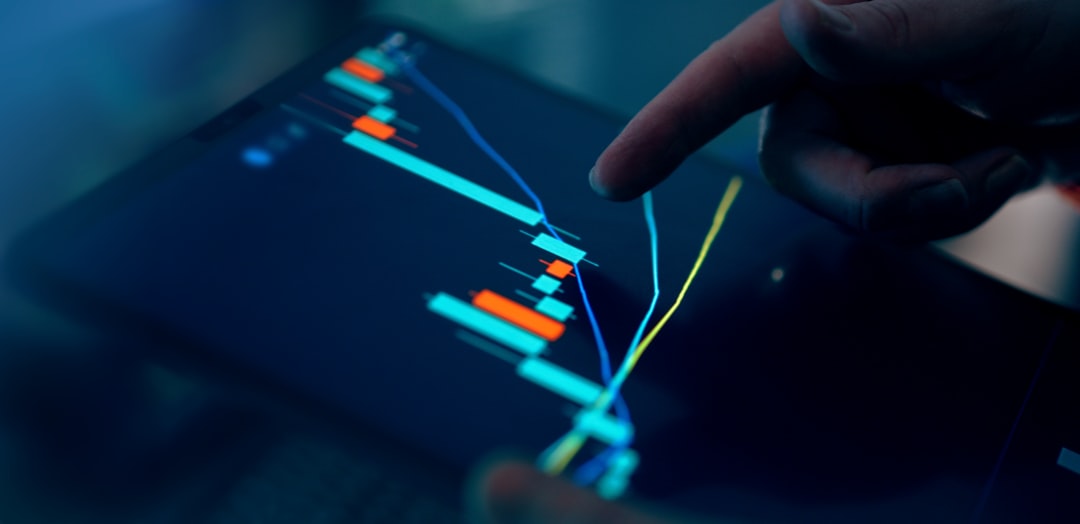
Charting: Multiple chart types, including candlestick, bar, and line charts, with up to nine different timeframes.
Indicators: Over 30 built-in technical indicators, covering trend analysis, oscillators, and volume tools.
Order Types: Market orders, pending orders, stop-loss, and take-profit settings are all available natively.
Expert Advisors (EAs): Automated trading scripts that execute strategies on your behalf without manual input.
What Are the Core Features That Traders Rely On?
Charting and Technical Analysis Tools
MT4’s charting environment is one of its strongest attributes. Traders can overlay multiple indicators simultaneously, draw trend lines, apply Fibonacci retracements, and use horizontal levels to map key price zones. The visual clarity of MT4 charts supports both beginners learning to read price action and experienced traders executing complex strategies.
Expert Advisors and Automated Trading
Expert Advisors are custom-built programs written in MQL4, MT4’s proprietary scripting language. These programs can scan markets, evaluate conditions, and place trades automatically—freeing traders from needing to monitor screens around the clock. Many traders deploy EAs to test strategies under specific market conditions without emotional interference.
The Strategy Tester
Before risking real capital, traders can back-test their Expert Advisors using historical market data. The Strategy Tester simulates how a trading strategy would have performed in the past, providing data on trade frequency, drawdown behavior, and overall effectiveness. This feature is particularly valuable for traders developing systematic approaches.
Multi-Asset Access
While MT4 is primarily associated with forex, most brokers offer access to commodities, indices, and metals through the same platform. This flexibility allows traders to diversify without switching between different tools.
Is MT4 Suitable for Beginners?
This is one of the most common questions new traders ask, and the honest answer is yes—with a caveat. MT4 is beginner-friendly in terms of layout and navigation. The interface follows a logical structure, and educational resources are widely available across trading communities online.
However, mastering MT4 requires time. Learning to read charts accurately, configure indicators correctly, and manage orders efficiently is a gradual process. Most brokers offer demo accounts, which allow new traders to practice using MT4 with simulated funds before transitioning to live trading. This is strongly recommended before committing any real capital.
How Do Traders Use MT4 to Manage Risk?
Risk management is the foundation of any sustainable trading approach, and MT4 provides several tools to support it.
Stop-Loss Orders: These automatically close a trade if the price moves against you by a defined amount, limiting potential losses.
Take-Profit Orders: These lock in gains by closing a trade once a target price is reached.
Trailing Stops: A dynamic stop-loss that moves in your favor as the trade progresses, protecting profits without capping the upside.
Using these tools consistently—rather than trading purely on instinct—is what separates disciplined traders from impulsive ones.
What Makes MT4 Different From Other Trading Platforms?
Several qualities set MT4 apart from competing platforms:
Customization: Traders can install third-party indicators, scripts, and EAs from the MQL4 community marketplace. The level of customization available is exceptionally broad.
Stability: MT4 has a long track record of operating reliably even during periods of high market volatility, when platform stability is most critical.
Broker Compatibility: The platform is supported by a vast number of regulated brokers worldwide, giving traders the freedom to choose a provider that suits their needs without abandoning their preferred trading environment.
Community Support: Because MT4 has been in use for nearly two decades, an enormous community of traders, developers, and educators has formed around it. Finding answers to technical questions, strategy ideas, and platform tutorials is straightforward.
Frequently Asked Questions About MT4
What devices can I use MT4 on?
MT4 is available on Windows desktop, macOS (via compatible solutions), web browsers, and mobile apps for both iOS and Android.
Can I trade automatically on MT4?
Yes. Expert Advisors allow fully automated trading based on pre-defined rules and conditions set by the trader.
Is MT4 free to use?
MT4 is provided at no cost through most brokers. Traders simply need to open an account with a compatible broker to gain access.
How do I get started with MT4?
The typical path is to select a regulated broker that supports MT4, download the platform, and open a demo account to practice before moving to live trading.
Taking the First Step With Confidence
MT4 remains a cornerstone of retail forex trading for good reason. Its combination of analytical tools, automation capabilities, and platform stability makes it a reliable choice for traders at every level. Starting with a demo account, investing time in understanding the charting tools, and learning to apply consistent risk management practices will give any new trader a solid foundation. The platform does not guarantee success—but it provides all the infrastructure needed to pursue it methodically.
Key Points
- MetaTrader 4 (MT4) is a professional electronic trading platform developed by MetaQuotes Software in 2005, widely adopted for retail trading in financial markets.
- MT4 supports automated trading, real-time price feeds, technical analysis tools, and order management within a single interface, making it highly efficient for traders.
- The platform allows traders to connect to their brokers via a client-server architecture, facilitating direct communication for trade executions.
- MT4 features a comprehensive charting environment with multiple chart types and over 30 built-in technical indicators for effective market analysis.
- Expert Advisors (EAs) in MT4 enable automated trading by executing strategies based on pre-defined rules without manual input.
- MT4 provides various risk management tools, including stop-loss and take-profit orders, which help traders manage potential losses and secure profits.